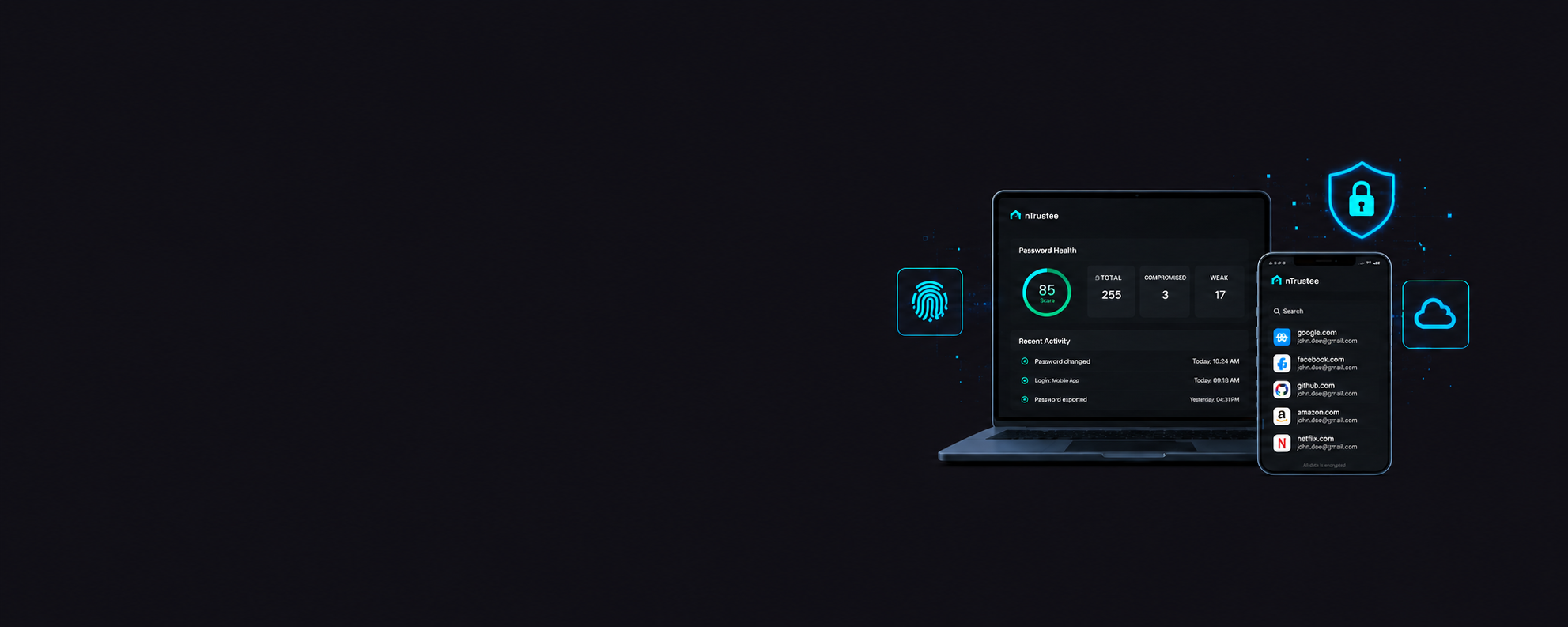
Best Password Managers for SMBs & Remote Teams in 2026
Protect business credentials, simplify password management, and reduce the risk of account compromise with secure password managers built for modern organizations.

Independent Reviews

Expert Analysis

SMB Focused

Updated May 2026
Ready to Protect Your Business Data?

NordPass Business
Best Overall

Keeper Security
Best Security

1Password Business
Best User Experience

RoboForm Business
Best Budget Option
Bitwarden Business
Best Open Source
Table of Contents
- Overview
- NordLayer Review
- Capabilities in Depth
- Best Use Cases
- Key Strengths
- Considerations
- Overall Verdict
NordPass Business
NordPass Business is a modern password management platform developed by the team behind Nord Security. The solution is designed to help organizations securely store, manage, and share credentials while reducing the risks associated with password reuse, weak passwords, and credential theft.
As businesses continue adopting cloud applications, remote work, and distributed teams, password management has become a critical component of cybersecurity. NordPass addresses this challenge through a user-friendly platform that combines strong encryption, centralized management, and secure credential sharing.
For SMBs that want enterprise-grade security without enterprise complexity, NordPass is one of the most attractive options available today.
Capabilities in Depth
NordPass Business provides encrypted password storage, secure password sharing, password health monitoring, dark web monitoring, multi-factor authentication support, and centralized administration through a cloud-based management portal.
Administrators can create user groups, manage access permissions, enforce security policies, and gain visibility into password hygiene across the organization. The platform automatically identifies weak, reused, and compromised passwords, helping organizations improve their overall security posture.
One of NordPass’s strongest capabilities is its simplicity. Employees can quickly save credentials, autofill login forms, generate complex passwords, and securely share access with colleagues without exposing sensitive information through email or messaging platforms.
The platform supports Windows, macOS, Linux, Android, iOS, and all major browsers, making it well suited for hybrid and remote work environments.
Best Use Cases
NordPass Business is particularly well suited for small and medium-sized businesses, startups, professional services firms, remote teams, and organizations that need a secure but easy-to-manage password management solution.
It is an excellent choice for businesses adopting cybersecurity best practices for the first time and looking to replace spreadsheets, shared documents, or browser-stored passwords with a centralized platform.
Key Strengths
The platform’s biggest advantage is its balance between security and usability. Deployment is straightforward, employee adoption is typically fast, and ongoing management requires minimal effort.
NordPass also delivers strong value through integrated dark web monitoring, password health reporting, secure credential sharing, and intuitive administration. Organizations can significantly improve security without requiring dedicated security personnel to manage the platform.
Considerations
While NordPass offers excellent password management capabilities, organizations with highly specialized privileged access management requirements may require additional enterprise-focused solutions.
Large enterprises requiring extensive compliance reporting, advanced privileged access workflows, or privileged session monitoring may find some competing platforms offer deeper enterprise controls.
Overall Verdict
NordPass Business offers one of the best overall combinations of security, usability, affordability, and operational simplicity available today.
For most SMBs, startups, and growing businesses, NordPass represents the strongest overall recommendation because it delivers meaningful security improvements while remaining easy to deploy, manage, and adopt across the organization.
Keeper Business
Keeper Security is a highly secure password management platform designed for organizations that place security, compliance, and access control at the center of their cybersecurity strategy.
The platform has developed a strong reputation among security-conscious organizations due to its robust security architecture, administrative controls, and enterprise-grade credential protection capabilities.
Keeper is frequently selected by organizations operating in regulated industries or environments where credential security is considered a critical business requirement.
Capabilities in Depth
Keeper Business provides encrypted credential storage, role-based access controls, secure password sharing, dark web monitoring, detailed security reporting, policy enforcement, and advanced authentication capabilities.
Administrators gain visibility into credential usage across the organization and can enforce security policies such as password complexity requirements, MFA adoption, and access restrictions. The platform also helps identify weak, reused, and compromised credentials that may expose the organization to risk.
Keeper’s architecture is particularly strong for organizations that need centralized governance and greater control over how credentials are created, stored, shared, and accessed.
The platform supports a wide range of devices, operating systems, browsers, and cloud applications, making it suitable for modern distributed workforces.
Best Use Cases
Keeper is best suited for security-focused businesses, healthcare organizations, financial institutions, legal firms, government contractors, and organizations operating under compliance requirements.
It is also a strong fit for businesses that want more administrative visibility and tighter control over credential management.
Key Strengths
Keeper’s greatest strengths are its security-first design, detailed administrative controls, strong reporting capabilities, compliance readiness, and mature access management features.
Organizations that prioritize risk reduction and credential governance will appreciate the depth of visibility and control offered by the platform.
Considerations
The platform’s security-focused approach can introduce additional complexity compared to more user-friendly SMB-oriented solutions.
Some smaller organizations may find that they do not require the full depth of administrative and security features available within the platform.
Overall Verdict
Keeper is one of the strongest password management solutions available for organizations prioritizing security, governance, and compliance.
Businesses that view credential protection as a strategic security requirement will find Keeper to be a highly capable and mature platform.
1Password Business
1Password Business is one of the most widely recognized password management platforms in the market and is known for combining strong security with an exceptional user experience.
The platform focuses on helping businesses securely manage credentials while maintaining employee productivity and minimizing friction during daily operations.
Its polished interface and ease of use have made it a popular choice among growing organizations and technology-driven businesses.
Capabilities in Depth
1Password provides encrypted password vaults, secure credential sharing, access controls, password health reporting, MFA integration, and centralized management through an intuitive administrative interface.
The platform also supports secure document storage, device trust management, and business vaults that allow teams to collaborate without exposing sensitive credentials.
One of 1Password’s most valuable capabilities is its ability to simplify secure collaboration. Teams can securely share credentials, applications, and sensitive information while maintaining centralized visibility and control.
The platform integrates well with modern cloud environments and supports a wide range of devices and operating systems.
Best Use Cases
1Password is ideal for growing businesses, technology companies, professional services organizations, marketing agencies, consulting firms, and remote teams.
It is especially attractive for organizations that want strong security while maximizing employee adoption and productivity.
Key Strengths
The platform excels in usability, onboarding experience, secure collaboration, device support, and overall user satisfaction.
Many organizations choose 1Password because employees are more likely to consistently use the platform compared to more complex alternatives.
Considerations
The primary consideration is cost. While 1Password delivers an excellent experience, pricing can be higher than some SMB-focused competitors.
Organizations seeking the lowest-cost solution may find alternatives such as NordPass or Bitwarden more attractive.
Overall Verdict
1Password remains one of the most polished and user-friendly password management solutions available.
Organizations seeking a balance of security, productivity, and employee adoption will find 1Password to be an outstanding option.
RoboForm Business
RoboForm Business is a mature password management solution focused on affordability, simplicity, and practical password security for organizations of all sizes.
The platform has been in the market for many years and continues to provide reliable password management capabilities without unnecessary complexity.
For organizations looking for core password management functionality at a competitive price point, RoboForm remains a compelling option.
Capabilities in Depth
RoboForm provides secure password storage, password generation, credential sharing, browser integration, administrative controls, and centralized management capabilities.
The platform enables businesses to replace insecure password storage methods with encrypted vaults while providing employees with fast access to business applications and services.
Deployment is straightforward and does not require extensive technical expertise. Organizations can quickly onboard users, organize credentials, and improve password security across the business.
Best Use Cases
RoboForm is best suited for small businesses, startups, freelancers, professional services firms, and organizations seeking a cost-effective password management solution.
It is particularly attractive for businesses that need secure password management but do not require advanced enterprise security features.
Key Strengths
The platform offers excellent affordability, ease of deployment, strong core functionality, and a low learning curve.
Organizations can achieve significant security improvements without introducing operational complexity or large licensing costs.
Considerations
While RoboForm delivers strong password management capabilities, it does not offer the same depth of enterprise security controls, compliance features, or advanced governance capabilities found in platforms such as Keeper.
Larger organizations with more complex security requirements may eventually outgrow the platform.
Overall Verdict
RoboForm remains one of the strongest budget-friendly password managers available today.
For SMBs seeking reliable password security at an attractive price point, RoboForm delivers excellent value.
Bitwarden Business
Bitwarden is a popular open-source password management platform trusted by businesses, IT teams, and security professionals worldwide.
The platform combines transparency, flexibility, strong encryption, and cost-effective pricing within a solution that appeals to technically minded organizations.
Its open-source architecture has helped establish Bitwarden as one of the most respected password management solutions in the market.
Capabilities in Depth
Bitwarden provides encrypted password storage, secure sharing, centralized administration, MFA support, password generation, auditing capabilities, and self-hosting options.
Organizations can choose between Bitwarden’s cloud-hosted service or deploy the platform within their own infrastructure for additional control and flexibility.
The platform supports virtually every major operating system, browser, and mobile platform while maintaining a consistent user experience.
Bitwarden’s open-source model also allows independent security researchers to review and validate its security architecture.
Best Use Cases
Bitwarden is ideal for IT teams, software companies, security-focused organizations, managed service providers, and businesses that prefer open-source technologies.
It is particularly attractive for organizations that value transparency and infrastructure flexibility.
Key Strengths
Bitwarden’s strongest advantages include transparency, open-source architecture, flexible deployment options, strong security, and competitive pricing.
Technical teams often appreciate the ability to self-host the platform while maintaining full control over sensitive credential data.
Considerations
The platform’s interface and management experience can feel more technical than some commercial alternatives.
Organizations prioritizing simplicity and ease of use may find NordPass or 1Password easier for non-technical employees to adopt.
Overall Verdict
Bitwarden is one of the strongest open-source password management solutions available and provides exceptional value for technical organizations.
Businesses seeking flexibility, transparency, and strong security without premium pricing will find Bitwarden to be an excellent choice.
Comparison Summary
| Solution | Best For | Key Strength | Team Size | Starting Price |
|---|---|---|---|---|
| NordPass Business | SMBs | Ease of Use | Small to Mid | $1.99/user |
| Keeper Business | Security-Focused Teams | Security Controls | SMB to Enterprise | $2/user |
| 1Password Business | Growing Businesses | User Experience | SMB to Enterprise | $7.99/user |
| RoboForm Business | Budget Teams | Affordability | Small Teams | $3/user |
| Bitwarden Business | Technical Teams | Open Source | SMB to Enterprise | $3/user |
Final Recommendation
For most SMBs and growing businesses, NordPass Business offers the best combination of security, usability, pricing, and ease of deployment. Organizations with stronger security requirements should evaluate Keeper, while businesses prioritizing user experience may prefer 1Password. Technical teams looking for flexibility and transparency should consider Bitwarden.
Ready to Secure Your Business Credentials?

NordPass Business
Best Overall
Keeper Security
Best Security
1Password Business
Best User Experience
RoboForm Business
Best Budget Option
Bitwarden Business
Best Open Source